PDF AI · 2023
Leveraging generative AI for seamless conversations with PDFs
I founded, designed and launched PDF AI from 0-1, from research to production-ready — a side project that lets you speak with your documents.
- Role
- Founder / product designer
- Duration
- Ongoing
- Client
- PDF AI
Context
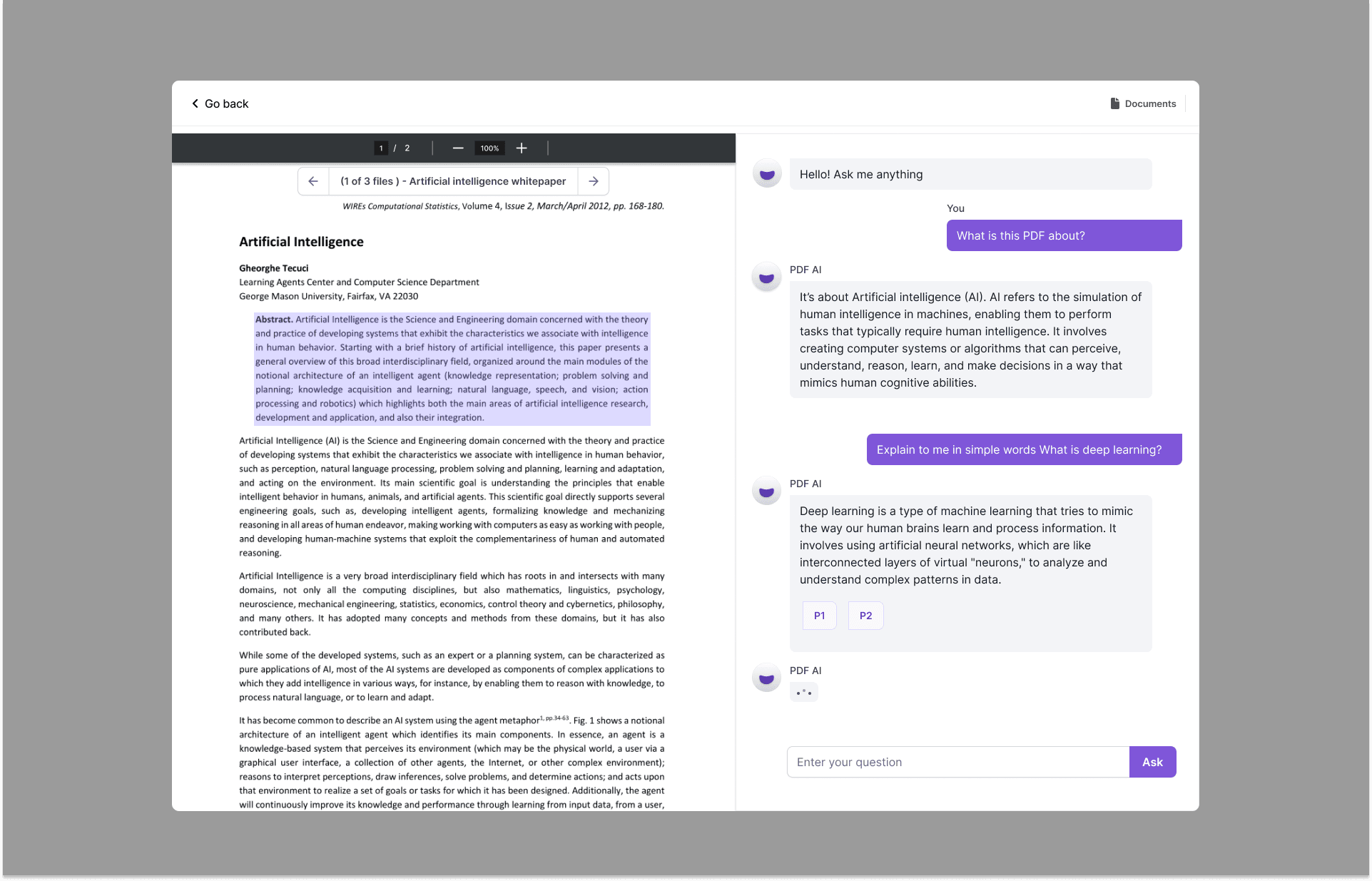
PDF AI enables you to chat with any PDF document. From legal agreements to financial reports, PDF AI brings your documents to life: you can ask questions, get summaries, find information and more.
Problem
PDFs are everywhere, and interacting with them remains a significant challenge for students, lawyers and professionals. Being static and non-interactive, they create barriers to information retrieval, understanding and communication.
The core problem lies in the lack of dynamic interaction between the user and the content. Users frequently need to extract, interpret and inquire about information in PDFs, but traditional methods of engaging with these documents are cumbersome and time-consuming.
This becomes more pronounced where quick information retrieval and decision-making are crucial — legal, academic and corporate settings. Users manually search through lengthy documents, struggle to locate specific information, or use multiple tools to interact with data points in a single PDF, leading to inefficiency, errors and frustration.
Goal
Enable users to have a conversation with their documents for a better learning experience.
Success metrics
- Monthly recurring revenue
- Growth in MRR and ARR is a strong indicator of a healthy SaaS business.
- Lead conversion rate
- The percentage of leads that convert into paying customers, measuring the effectiveness of the funnel.
- Churn rate
- The percentage of customers who cancel or do not renew their subscriptions in a given period.
- Customer lifetime value
- A higher CLTV indicates a more valuable customer base.
Solution
PDF AI lets you chat with any PDF document, ask questions, retrieve information, and even chat with multiple PDFs at once — asking questions, citing sources, summarising findings, and a Chrome extension to talk to PDFs everywhere.
Design decision: Tooltip
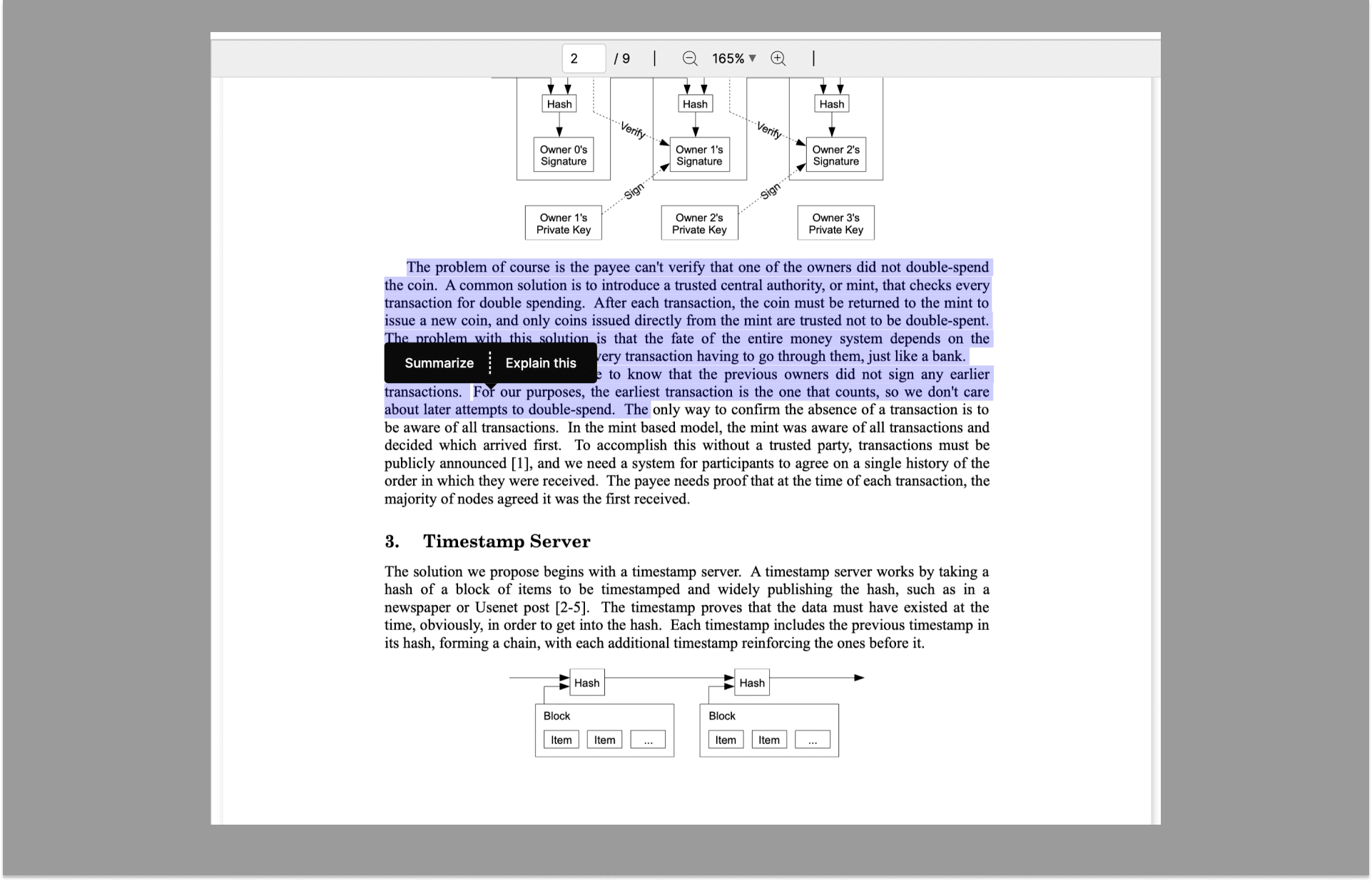
After the MVP launch we noticed users would often highlight PDF content. Speaking with five users revealed they wanted an easier way to get accurate answers without typing overly specific questions, so we introduced the ability to highlight a portion of text and click "Explain" or "Summarise" — which received widespread adoption quickly.
Design decision: Chrome extension
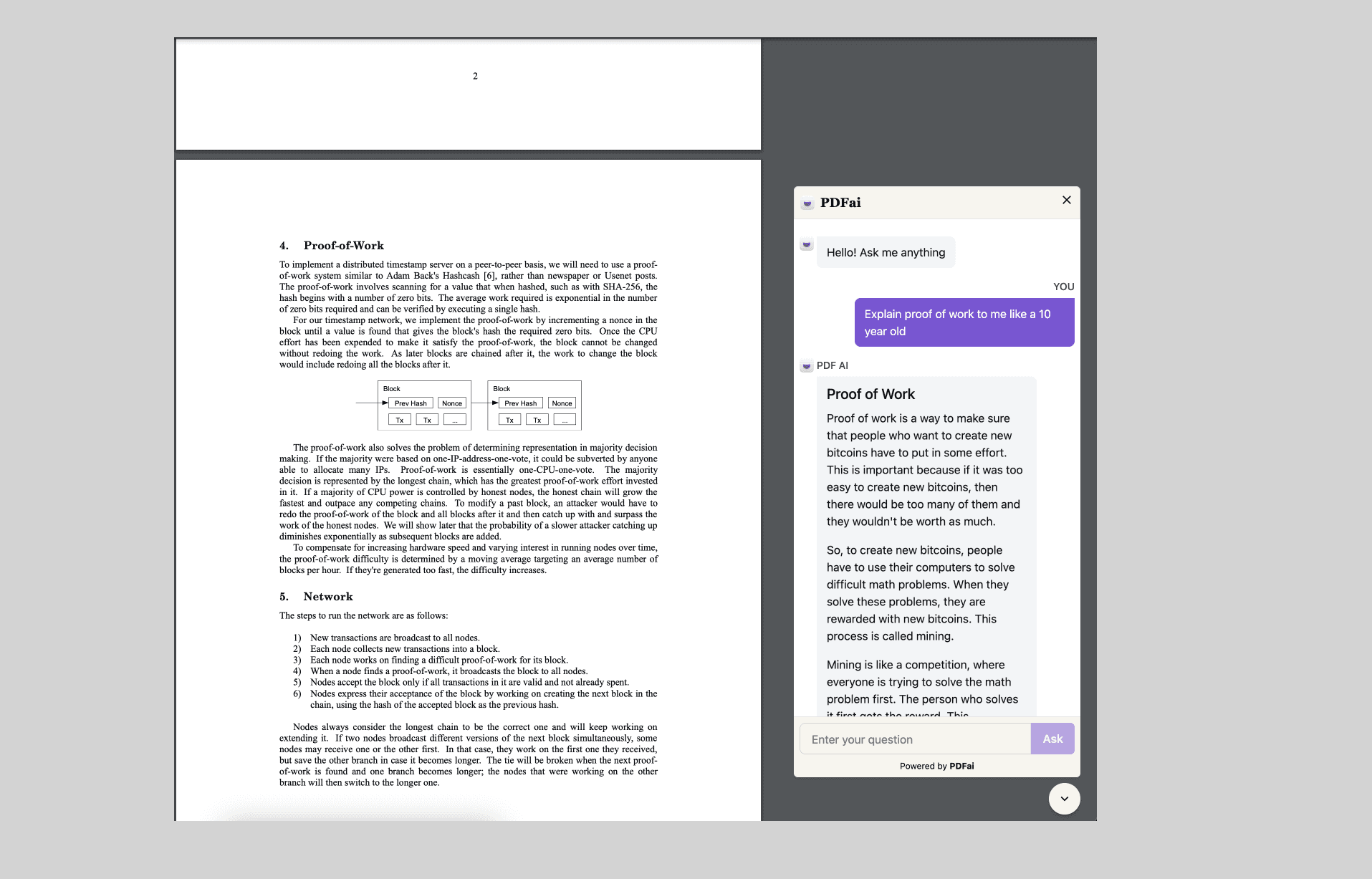
Further research showed users would go to Google Drive, search for the PDF, download it and upload it to the platform. The best way to streamline the experience was to design and build a Chrome extension that is accessible whenever a user opens a PDF online.
Outcomes
- Growth
- Currently growing 12% every month, with most traffic coming from SEO.